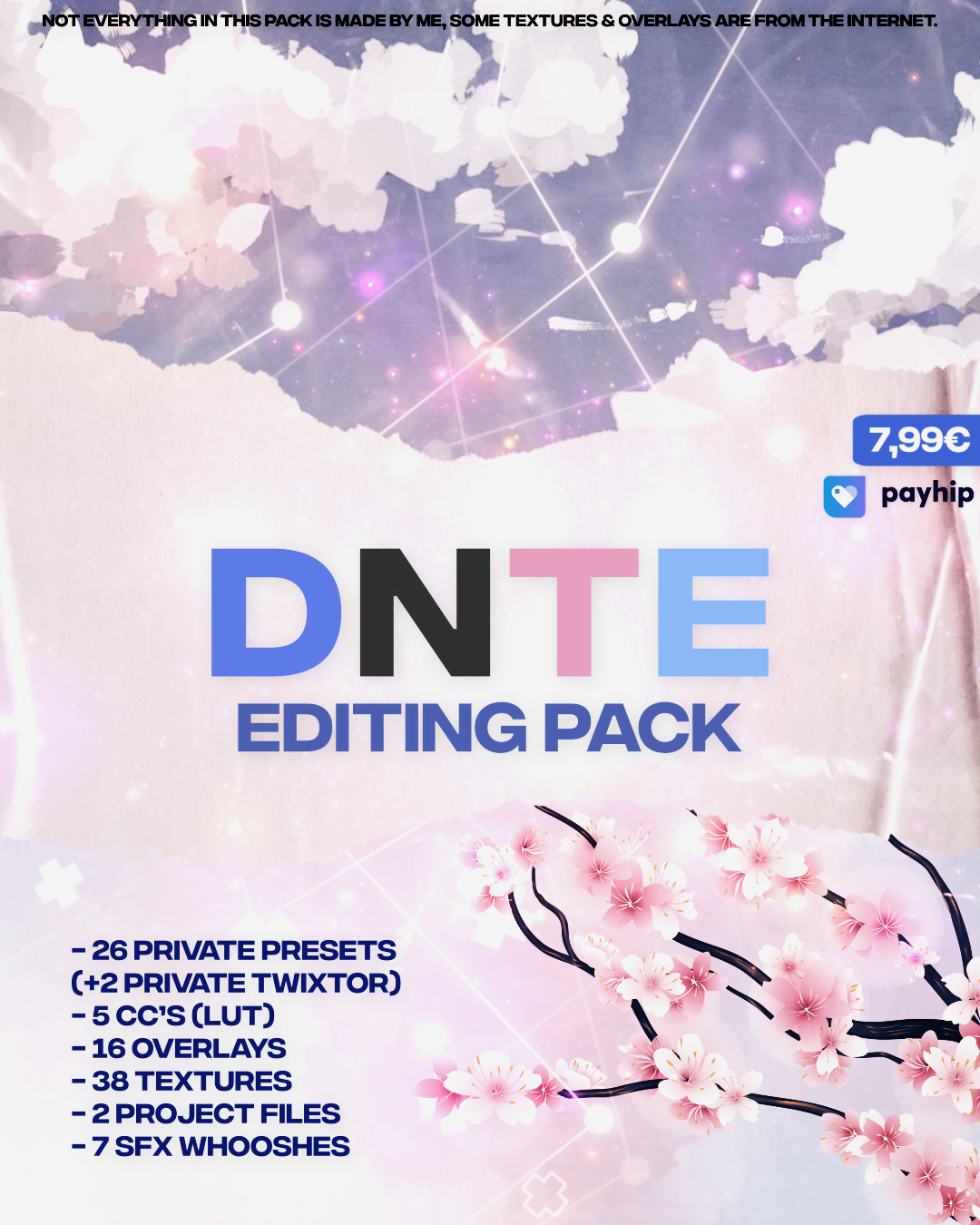
Here’s a detailed breakdown of what this
Payhip – DNTE Editing Pack offers, along with some key considerations for potential buyers:
---
Key Features & Breakdown
The pack appears to be a
comprehensive After Effects resource bundle designed to streamline workflows for editors, motion designers, and video creators. Here’s what’s included:
**1. Presets (26 Total)
- Purpose: Pre-configured effects, transitions, or adjustments to save time.
- Examples:
- Motion graphics templates (e.g., text animations, logo reveals).
- Color grading presets (if LUTs are included separately).
- Camera tracking or stabilization presets.
- Note: The mention of Twixtor presets (23.976fps & 30fps) suggests tools for frame interpolation (e.g., converting 24fps to 60fps for smoother playback). This is a huge time-saver for editors working with film-to-video transitions.
**2. Color Correction (5 CC’s / LUTs)
- Purpose: Look-Up Tables (LUTs) for consistent color grading across projects.
- Examples:
- Cinematic LUTs (e.g., "Film," "Vintage," "Neon").
- Log-to-Rec709 or custom grading profiles.
- Pro Tip: Always test LUTs in a neutral environment (e.g., grayscale test chart) to ensure accuracy.
**3. Overlays (16 Total)
- Purpose: Visual enhancements like glitches, film grain, light leaks, or abstract textures.
- Examples:
-
Glitch effects (for modern/tech-themed edits).
-
Film grain overlays (to add organic texture).
-
Light leaks or vignettes (for cinematic depth).
- Use Case: Great for title sequences, intros, or stylized edits.
**4. Textures (38 Total)
- Purpose: High-resolution assets for adding realism or stylization.
- Examples:
-
Subsurface scattering (for skin/porcelain materials).
-
Grungy textures (paper, concrete, metal).
-
Abstract noise (for dynamic backgrounds).
- Pro Tip: Use blend modes (Screen, Overlay, Multiply) to control opacity and integration.
**5. Project Files (2 Total)
- Purpose: Pre-built After Effects compositions (no raw footage included).
- Examples:
-
Lower third templates (for interviews/sports).
-
Kinetic typography (animated text layouts).
-
Motion graphics sequences (e.g., explainer animations).
- Caveat: Since no episodes are included, these are likely frameworks—you’ll need to replace placeholders with your own content.
**6. SFX Whooshes (7 Total)
- Purpose: Sound effects for dynamic edits (e.g., transitions, impacts, or emphasis).
- Examples:
-
Swoosh sounds (for cuts or reveals).
-
Impact SFX (for action scenes).
-
Ambient whooshes (for sci-fi/fantasy).
- Tip: Sync these with keyframes in AE for precise timing.
---
**Who Is This Pack For?
 Beginner/Intermediate Editors
: Great for learning AE workflows with pre-made assets.
Motion Designers: Useful for quick prototyping or client deliverables.
Content Creators: Ideal for YouTubers, TikTokers, or filmmakers needing
fast turnaround edits.
Colorists: The LUTs and presets can save hours on grading.
 Not for
:
- Advanced users who already have custom workflows.
- Those needing full project templates (since no footage is included).
---
**Potential Use Cases
1.
Color Grading:
- Apply a LUT to a project in
one click (via AE’s
Colorama or
LUT Loader).
- Example:
Code:
plaintext
 File > Import > File (select LUT) > Right-click LUT > Apply LUT to Footage
2.
Motion Graphics:
- Use the
presets to animate logos or text in seconds.
- Example:
Code:
plaintext
 Drag a preset .aep file into your project > Replace placeholders with your assets
3.
Textures & Overlays:
- Add
film grain to a clean render:
Code:
plaintext
 Layer > New > Solid (black) > Set blend mode to "Screen" > Drag texture over it
4.
SFX Integration:
- Sync a
whoosh to a cut:
Code:
plaintext
 Import SFX into AE timeline > Align keyframe with the cut point > Adjust duration
---
**Pro Tips for Using the Pack
Create folders in AE’s
Project Panel for:
[B]Presets[/B],
[B]LUTs[/B],
[B]Overlays[/B],
[B]Textures[/B],
[B]SFX[/B].
Example structure:
Code:
 /DNTE_Pack
 ├── /Presets
 │ ├── Motion_Graphics.aep
 │ └── Twixtor_30fps.aep
 ├── /LUTs
 │ ├── Film_LUT.cube
 │ └── Neon_LUT.cube
 └── /SFX
 ├── Whoosh_01.wav
 └── Impact_01.wav
Always duplicate assets before modifying them to avoid corruption.
Ensure the pack works with
After Effects CC 2023 (some older presets may need updates).
- **Combine with Other Tools:
Pair with
Red Giant Universe or
Optimo for advanced VFX if needed.
---
**Final Verdict
This pack is a
solid starting point for editors looking to
speed up workflows without reinventing the wheel. The
Twixtor presets alone justify the cost for many users. If you’re new to AE, this could
cut your learning curve significantly.
Would you like recommendations for similar free/cheap alternatives? Or are you looking for
specific use cases (e.g., gaming edits, corporate videos)?