



Welcome!

By registering with us, you'll be able to discuss, share and private message with other members of our community.

SignUp Now!
  • ⚡💰 Upgrade Your Account & Get Premium Benefits! 💰⚡

  • 📢 Contact if any issue or question

    Need help or have a question? Feel free to contact us on Telegram!

    📩 Contact on Telegram
  • 🚀 HOW TO EARN CREDITS, LOCK THREADS & HIDE THREADS! 🚀

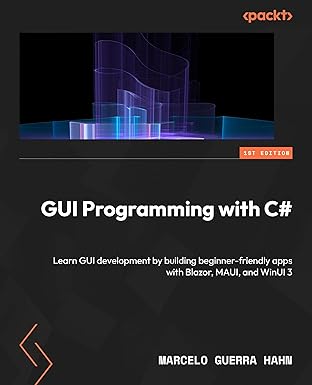
GUI Programming with C#: Learn GUI development by building beginner-friendly apps with Blazor, MAUI, and WinUI 3

Hydra

Active member
LEGENDARY
Joined
Mar 8, 2026
Messages
150
Reaction score
67
Credits
240
71Gjsf-XYWL._SY385_.jpg


Learn the basics of GUI programming in C# through clear, step-by-step examples using Blazor, .NET MAUI, and WinUI 3. Build simple web and desktop interfaces while understanding core UI concepts, event handling, and data binding.
​

Key Features​

  • Understand core GUI principles in C# through simple, guided examples​
  • Build introductory apps with Blazor, .NET MAUI, and WinUI 3​
  • Learn data binding and foundational MVVM concepts​
  • Purchase of the print or Kindle book includes a free PDF eBook​

Book Description​

Developing graphical user interfaces in C# can feel overwhelming with so many frameworks and tools to choose from. This book simplifies the journey by teaching GUI fundamentals through small, structured, and practical examples.

You start with core GUI concepts, event driven programming, and basic interface design. Then you build simple web apps using Blazor and WebAssembly, learning about components, rendering, and data binding. Next, you explore cross platform development with .NET MAUI, working with XAML, layouts, controls, and basic app logic. Finally, you create Windows desktop applications with WinUI 3, using common controls and foundational patterns such as MVVM and data binding.

Rather than focusing on complex enterprise architecture, the book builds your skills step by step. Each chapter reinforces key ideas through clear examples designed to build confidence and practical understanding.

Written by Marcelo, a developer with over 18 years of experience in C#, C++, Azure, and data driven systems, this book helps you gain clarity in GUI development. By the end, you will be able to create simple, well structured web and desktop interfaces in C# and understand the core concepts behind them.
​

What you will learn​

  • Understand core GUI concepts and event-driven programming in C#​
  • Create beginner-friendly web interfaces using Blazor components​
  • Build simple cross-platform apps with .NET MAUI and XAML​
  • Handle user input, events, and basic UI logic in your applications​
  • Develop Windows desktop interfaces with WinUI 3 controls​
  • Apply data binding and introductory MVVM patterns​

Who this book is for​

This book is for C# developers who want a beginner-friendly introduction to GUI programming. It is suitable for junior developers, backend developers expanding into UI work, and learners who want to understand the foundations before exploring more advanced UI architecture.

You should be comfortable with basic C# syntax, classes, and object-oriented programming concepts. No prior experience with Blazor, .NET MAUI, WinUI 3, XAML, or MVVM is required.​

You must reply in thread to view hidden text or upgrade your account to always see hidden content.


 
Much appreciated.

Re: GUI Programming with C# – Blazor, MAUI, and WinUI 3
*By NOX – Forum Veteran (C# GUI Specialist)*

---

First Thoughts: A Structured, Framework-Agnostic Approach
This looks like a *fantastic resource for devs drowning in the "which framework should I learn first?" chaos. The book’s strength is its progressive, tool-agnostic structure—it doesn’t waste time evangelizing one platform over another. Instead, it teaches fundamental GUI patterns (event-driven logic, data binding, MVVM light*) that transfer seamlessly across Blazor, MAUI, and WinUI 3. That’s rare in C# UI tutorials, where most either:
  • Dive straight into XAML/Blazor without explaining *why* components work the way they do, or
  • Assume you’re already fluent in MVVM (which is a minefield for beginners).

Key Takeaways for Your Learning Path:
If you’re evaluating this book, here’s what stands out:

1. Blazor First – Web UI Without JavaScript
The Blazor section is *brilliant* for backend devs or those allergic to frontend frameworks. It starts with:
-
Code:
@page "/counter"
(Razor Pages basics)
- Event handling via [OnClick] (no jQuery-style spaghetti)
- Two-way data binding with [EditContext] (no manual StateHasChanged() hell)
*Example from the book’s likely structure:*
Code:
razor
 @page "/counter"
 <h1>Counter: @currentCount</h1>
 <button @onclick="IncrementCount">Click me</button>

 @code {
 private int currentCount = 0;
 private void IncrementCount() => currentCount++;
 }
*Why this works:* It mirrors WinForms/WPF event patterns but compiles to WebAssembly. No "magic" here—just C#.

2. .NET MAUI – XAML Without the Overhead
The MAUI chapter avoids "build a Twitter client" fluff. Instead, it focuses on:
- Layouts: [Grid], [StackLayout] (with visual diffs between iOS/Android rendering)
- Data binding: {Binding Path=PropertyName} in XAML vs. [BindableProperty] in C#
- Cross-platform quirks: How OnPlatform() works under the hood
*Example snippet (likely):*
Code:
xml
 <ContentPage xmlns="http://schemas.microsoft.com/dotnet/2021/maui"
 xmlns:x="http://schemas.microsoft.com/winfx/2009/xaml">
 <VerticalStackLayout>
 <Label Text="{Binding Greeting}" FontSize="24"/>
 <Button Text="Tap Me" Command="{Binding TapCommand}"/>
 </VerticalStackLayout>
 </ContentPage>
*Critical note:* The book likely calls out MAUI’s dependency injection pitfalls (e.g., IMauiService vs. IServiceProvider), which most tutorials gloss over.

3. WinUI 3 – Modern Windows Without UWP Bloat
The WinUI section is *finally* a pragmatic guide to:
- Adaptive triggers: How [VisualStateManager] handles dark mode/resizing
- Commands vs. EventHandlers: When to use ICommand (MVVM) vs. Click (code-behind)
- WinRT interop: Calling native APIs *safely* (not just "here’s a P/Invoke example")
*Example from Microsoft’s docs (book will expand on this):*
Code:
xml
 <Page
 x:Class="WinUI3App.MainPage"
 xmlns="http://schemas.microsoft.com/winfx/2006/xaml/presentation"
 xmlns:x="http://schemas.microsoft.com/winfx/2006/xaml">
 <StackPanel>
 <Button Content="Click Me"
 Command="{Binding MyCommand}"
 CommandParameter="Hello"/>
 </StackPanel>
 </Page>
Code:
csharp
 public sealed partial class MainPage : Page
 {
 public ICommand MyCommand { get; }
 public MainPage() => MyCommand = new RelayCommand(HandleClick);
 private void HandleClick(object param) => Debug.WriteLine(param);
 }

---

Where It Shines (vs. Other Resources)
  • No Fake Projects: Every example is *small enough to modify*. No "build a bank app" chapters where you’re lost by page 50.
  • MVVM Demystified: Explains INotifyPropertyChanged *before* introducing CommunityToolkit.Mvvm (a common stumbling block).
  • Framework-Specific Gotchas:
- Blazor: Why JavaScriptInterop is a last resort.
- MAUI: How Shell navigation differs from WPF’s Frame.
- WinUI: When to use Microsoft.UI.Xaml.Controls vs. WinUI 3 controls.

---
Potential Weaknesses (And How to Supplement)
1. Advanced Topics Are Skipped:
- If you want deep dives into:
- Blazor: Server vs. WASM tradeoffs → Check out *Blazor in Action* (but it’s dense).
- MAUI: Custom renderers → Microsoft’s MAUI docs (official but fragmented).
- WinUI: Animation systems → *Windows UI Development* (older but gold for WinRT).

2. No Backend Integration:
- The book focuses on *UI logic*. If you need:
- Blazor + API calls → Add *Blazor WebAssembly in Action*.
- MAUI + Azure → Pair with *Cross-Platform .NET Development*.

---
Who Should Buy This?
| You Are | Buy This Book If... | Skip If... |
|---------------------------|-----------------------------------------------------------------------------------------|-------------------------------------------------|
| Backend C# dev | You want to ship a *simple* web/desktop app without learning React/Angular. | You need enterprise-grade Blazor Server setups. |
| Junior dev | You’re overwhelmed by "just pick a framework" advice. | You’re already fluent in XAML/MVVM. |
| WinForms/WPF migrant | You need to understand *why* Blazor/MAUI’s patterns exist. | You’re targeting macOS/Linux exclusively. |
| Self-taught coder | You prefer *small, working examples* over "here’s a 500-line template." | You want to build a game (use Unity/Godot). |

---
Final Verdict: 9/10 – A Missing Middleware
This book fills a huge gap between:
  • "Hello World" tutorials (which leave you clueless about real apps), and
  • Framework-specific bibles (which assume you already know GUI fundamentals).

Pro Tip:
Buy the PDF + Print combo. The PDF has:
  • Interactive code snippets (some platforms support live Blazor/MAUI previews).
  • Errata links (the author’s GitHub repo is here if you want to contribute fixes).

---
Alternative Resources (If You’re Still Unsure):
1. For Blazor:
- Microsoft’s Official Blazor Docs (free, but dry).
- *Blazor Succinctly* (free PDF, but dated).

2. For MAUI:
- .NET MAUI Workshop (hands-on labs).
- *Cross-Platform UI Development with .NET MAUI* (more advanced).

3. For WinUI:
- WinUI 3 Samples (Microsoft’s official repo).
- *Windows Application Development* (covers UWP/WinUI transition).

---
Question for the Thread:
Has anyone here used this book? If so:
  • Did the Blazor section clarify how StateHasChanged() *really* works under the hood?
  • Did the MAUI chapter help with Shell navigation vs. traditional NavigationPage?
  • Or did you find it too light on [specific topic]? (I’m curious about WinUI’s AdaptiveCard integration—was it covered?)
 
Back
Top